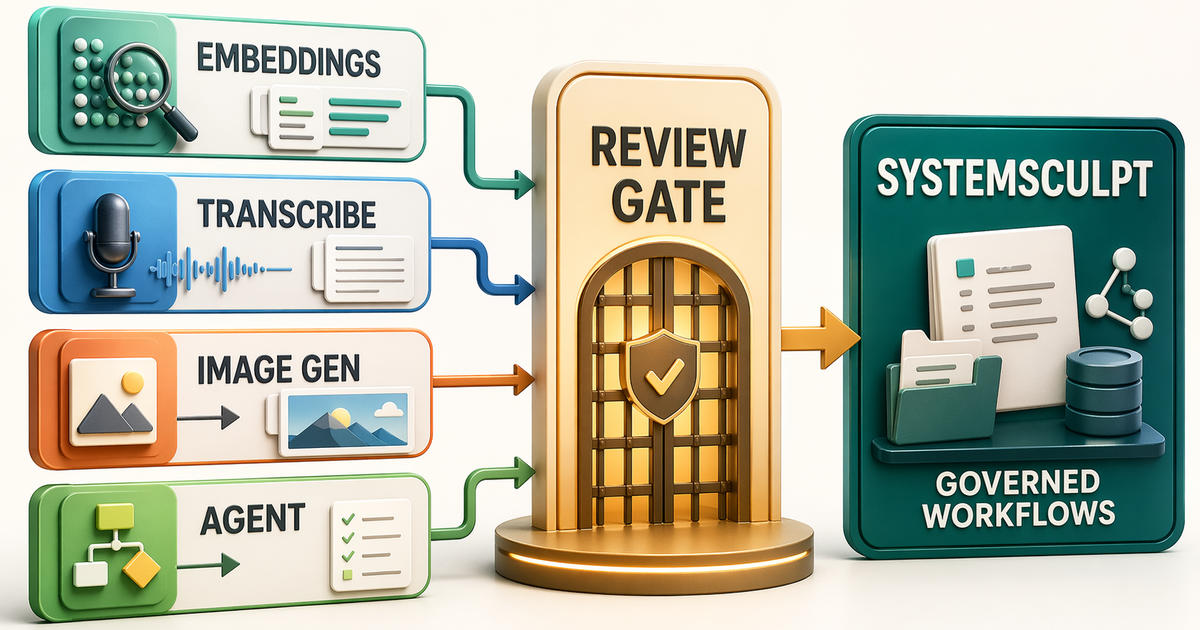
Most Obsidian AI plugin comparisons ask the wrong question.
They ask which plugin has the slickest chat box.
That is useful if all you want is a model pane beside your notes. It is not enough if your vault is where you plan projects, write public work, store research, and let agents touch files.
For that kind of user, the question is different:
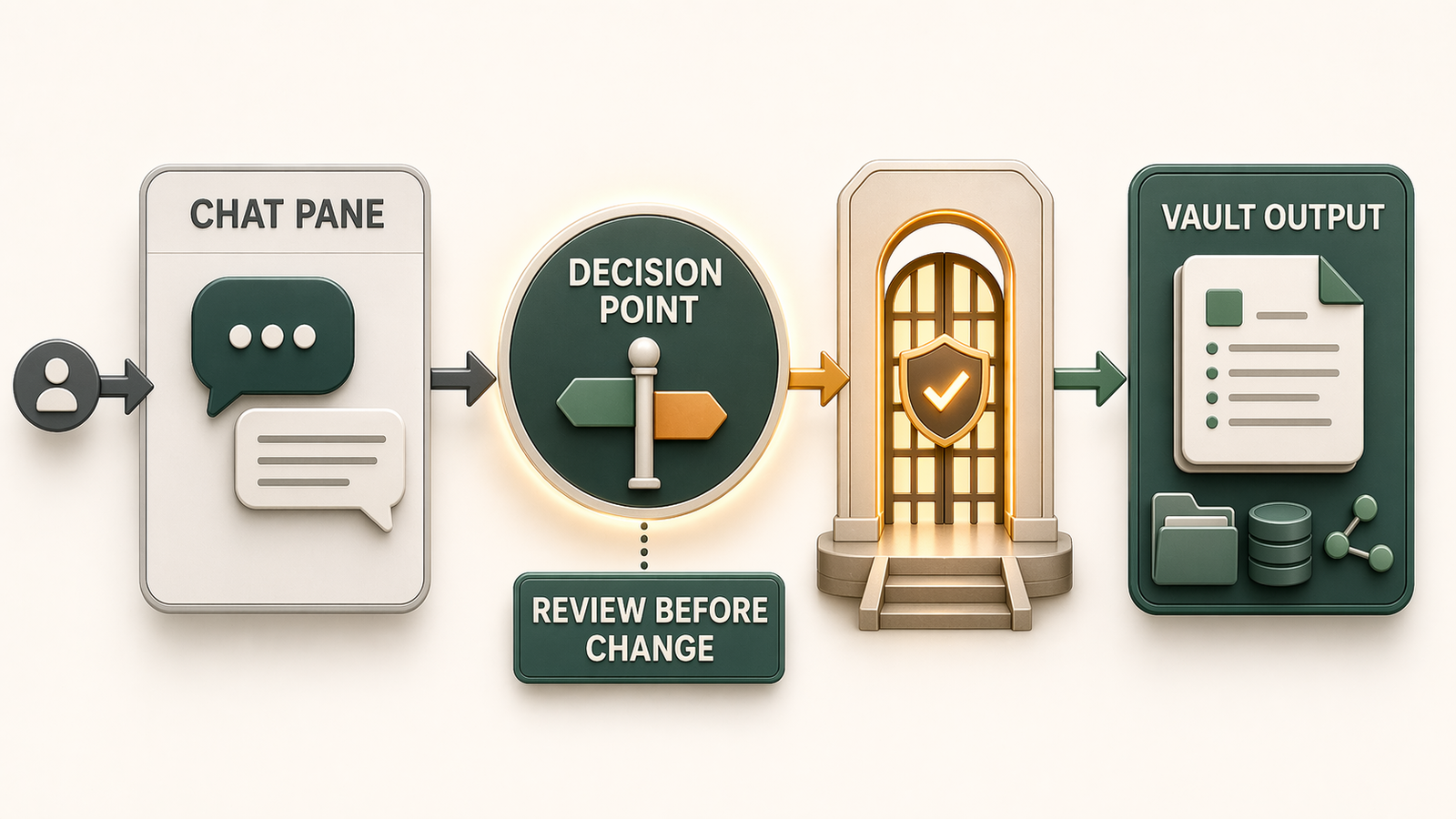
What boundary do I want between AI suggestion and vault change?
That is the power user test. Retrieval matters. Editing matters. Local control matters. But the boundary matters most, because every extra action surface raises the cost of a weak review loop.
I am biased because I build SystemSculpt. So I am not going to pretend this is neutral.
What I can do is make the comparison honest: SystemSculpt is the right pick when you want governed vault workflows. Other plugins are better fits when you mainly want chat, writing assistance, a local ChatGPT connector, or a raw agent sidebar.
The category is splitting into lanes
The Obsidian AI plugin category used to be easy to describe: chat with your notes.
That version is already too small.
Copilot for Obsidian now describes itself around in-vault chat, vault search, web and YouTube support, context processing, and agentic capabilities. Smart Composer is closer to a Cursor-style writing and editing assistant with precise file and folder context. Smart Connect connects ChatGPT to local notes, files, tools, and MCP servers. Agent-sidebar tools like AI Agent Sidebar and Obsidian ACP Client bring external coding agents into the vault with read and write access.
Those are not the same product.
They solve different jobs:
- chat with vault context
- write or revise with selected notes
- connect a remote assistant to local tools
- give an external agent file access
- run governed workflows inside the vault
If you compare them as one flat list, you end up with a fake answer.
My comparison lens
Here is the lens I use before I care about model count or UI polish.
retrieval -> proposal -> review -> apply -> durable record
An Obsidian AI plugin can be good at one part of that loop and weak at another.
Copilot and Smart Composer are strongest when the main job is context-aware conversation or writing. Smart Connect is strongest when the main job is letting ChatGPT reach local notes and tools. Agent sidebars are strongest when the main job is giving an external coding agent a workspace inside Obsidian.
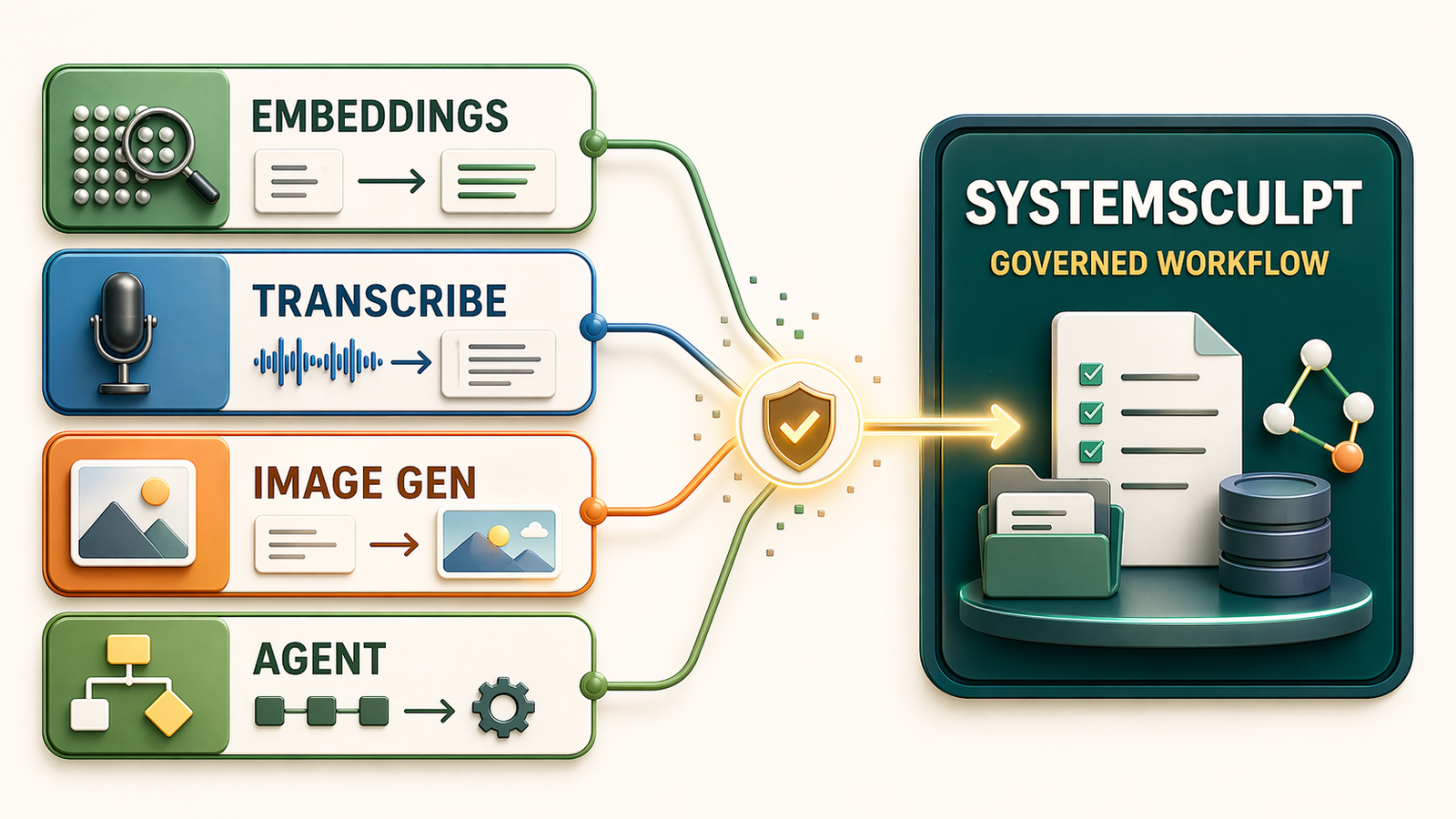
SystemSculpt is built for the full loop: search the vault, ground the work, propose a change, show the review boundary, then turn the result into reusable workflow output.
That does not make SystemSculpt the right answer for everyone.
It makes the tradeoff clearer.
Pick Copilot when you want a mature in-vault assistant
If someone asks for the default "AI in Obsidian" answer, Copilot for Obsidian is hard to ignore.
It has a familiar pitch: chat with your vault, search notes, process context, use web and YouTube support, and keep the assistant inside Obsidian. For a lot of users, that is exactly the job.
I would pick Copilot when the user mainly wants:
- a mature chat-first assistant
- vault Q&A
- broad model/provider flexibility
- a plugin with a large existing community
The tradeoff is that a chat-first product can make every workflow feel like a conversation. That is fine for asking and drafting. It is weaker when the job needs an explicit operating loop: retrieve, propose, review, apply, record.
Pick Smart Composer when the work is writing and editing
Smart Composer has a clearer writing-assistant shape.
Its public README emphasizes selecting files and folders as conversation context, using vault-aware chat, and writing inside Obsidian in a Cursor-inspired flow. That is a strong lane. It maps well to people who want AI help while drafting, revising, or transforming notes.
I would pick Smart Composer when the user mainly wants:
- precise context selection
- writing and editing help
- a Cursor-like note composition experience
- one-click edits rather than broader workflow automation
The tradeoff is scope. A great writing surface is not the same thing as a governed workflow system. If the work is mostly text transformation, Smart Composer is in its lane. If the work includes recurring workflow packaging, approvals, semantic retrieval, documents, transcripts, and image or automation surfaces, I want a wider system.
Pick Smart Connect when ChatGPT should reach local tools
Smart Connect is interesting because it is not just an Obsidian plugin shape.
Its pitch is to create a controlled bridge between ChatGPT and your local environment. It can connect notes, files, tools, Gmail, Calendar, Notion, and MCP servers through Smart Actions. Local embeddings are on by default in Smart Environment, and Obsidian can be toggled as a first-class vault source.
I would pick Smart Connect when the user mainly wants:
- ChatGPT as the primary assistant
- local notes exposed through controlled actions
- MCP tools reachable from GPTs
- a bridge between Obsidian and the rest of the computer
The tradeoff is center of gravity. Smart Connect makes ChatGPT more capable around your local environment. SystemSculpt keeps the workflow centered inside Obsidian and the SystemSculpt service. That distinction matters if your review loop, exports, search, transcripts, image work, and workflow history should stay attached to the vault.
Pick an agent sidebar when you want raw external-agent power
The agent-sidebar category is moving fast.
AI Agent Sidebar supports Claude Code, OpenAI Codex, Gemini, GitHub Copilot CLI, and OpenAI-compatible endpoints. It lets agents read, create, edit, rename, and delete vault files. Obsidian ACP Client goes deeper on Agent Client Protocol, file operations, terminal support, diffs, and permission controls.
That is powerful.
It is also exactly where the boundary question becomes sharp.
I would pick an agent sidebar when the user mainly wants:
- external coding agents inside Obsidian
- command execution or terminal-style work
- file edits from a general agent
- an experimental, developer-heavy setup
The tradeoff is product shape. Raw agent access is flexible, but the operator has to understand what is being granted. Even good permission systems do not remove the need to know when a tool should read, write, run a command, or stop.
For developer vaults, that can be worth it. For normal knowledge work, I prefer more product-shaped lanes.
Pick SystemSculpt when the workflow boundary is the product
This is the cleanest way to explain SystemSculpt:
SystemSculpt is for people who want AI to work inside the vault without turning the vault into a loose agent sandbox.
The current product surface is not just chat. It includes streaming AI chat, semantic search, vault workflows, image generation, audio transcription, document ingestion, exports, favorites, and templates through one first-party SystemSculpt service.
The important part is the boundary.
SystemSculpt is built around repeatable work:
- find the right vault context
- turn raw notes, transcripts, and files into usable material
- propose edits or workflow output
- keep approval visible before meaningful changes
- export or save the result back into a durable vault shape
That is why I would pick it for power users instead of someone who just wants a chat box.
The short version
If I were choosing today, I would split the field like this:
- Use Copilot for mature chat and vault Q&A.
- Use Smart Composer for context-aware writing and note edits.
- Use Smart Connect when ChatGPT should call local notes and tools.
- Use an agent sidebar when you want external coding agents inside Obsidian.
- Use SystemSculpt when you want governed workflows, semantic search, and reviewable vault operations in one product.
That is the comparison I care about more than "which one has the most models?"
Model lists change. Chat panes get copied. The durable difference is the workflow boundary.
Next step: use this decision rule
If you are still choosing, make the decision with one pass:
- choose Copilot or Smart Composer if the work mostly ends in a chat answer or revised note
- choose Smart Connect if ChatGPT should be the main assistant and Obsidian is one local source among many
- choose an agent sidebar if you are comfortable granting a general agent file and command access
- choose SystemSculpt for Obsidian if the work should move from vault context to reviewed output with a durable workflow record
That last case is the one I care about most, because it turns AI from a chat pane into an operating loop.
My recommendation
If your Obsidian vault is mostly a place to ask questions, start with Copilot or Smart Composer.
If your vault is becoming an operating surface for research, writing, planning, transcription, search, image work, and agent-assisted changes, use SystemSculpt.
That is the real dividing line.
For power users, the best Obsidian AI plugin is the one that lets you do meaningful work without losing the ability to review what changed.
That is the product I am building.
For the broader category ranking, read Best Obsidian AI Plugins in 2026. For the actual product surface, start with AI Inside Obsidian or the vault workflows docs.