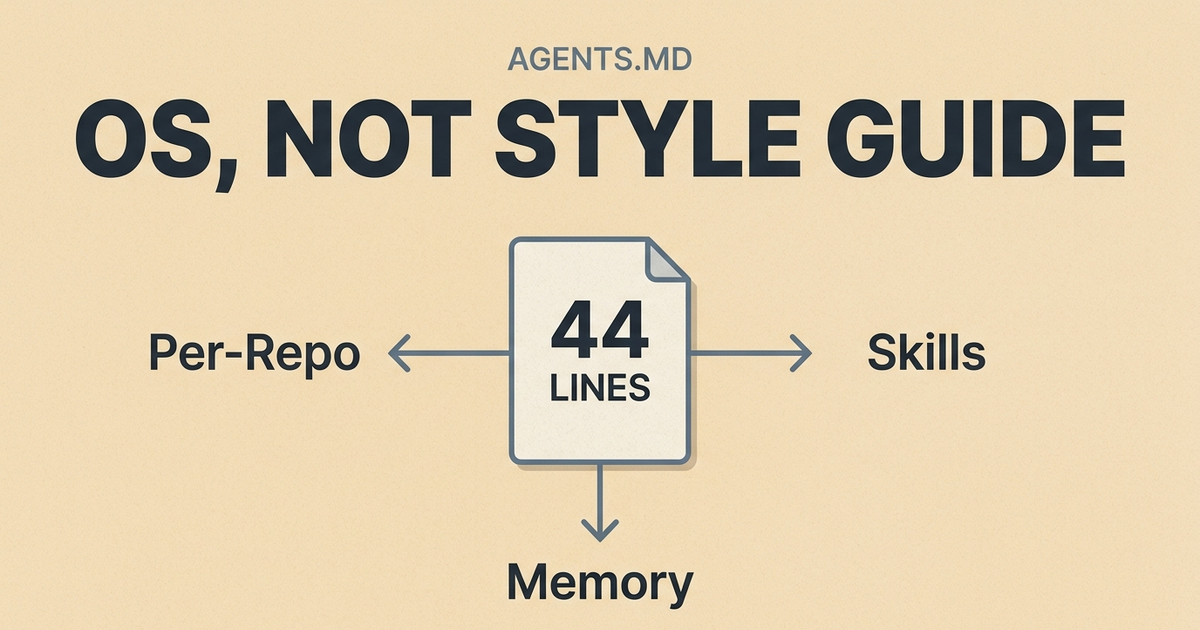
My AGENTS.md is 44 lines. It doesn't contain a single npm run build, coding convention, or style rule.
Every guide about AGENTS.md tells you to start with build steps, test commands, and coding conventions. That's fine advice for a single repo. But I run coding agents across six repositories, 38 specialized skills, and a layered memory system that persists across sessions. My AGENTS.md doesn't hold instructions. It routes to them.
Here's what I actually put in the file, and why the standard advice misses the point for anyone past the basics.
My Actual AGENTS.md Is a Router
Here's the workspace-level AGENTS.md that every agent session starts from. This is abbreviated because the full file has two more domain-specific sections:
## Workspace Routing
- This directory is a multi-repo workspace root, not a single product repo.
  Start by locating the real repo and its local AGENTS.md before making changes.
- Keep path boundaries explicit.
- For durable cross-session context, consult memory_summary.md first,
  then MEMORY.md only if needed.

## Agent Evolution
- Treat skills as living playbooks. When execution reveals a better
  verified method, update the relevant skill in the same pass.
- Use a keep/discard mindset for workflow improvement.

## Refactor Workflow
- Load the refactor skill first.
- Treat short prompts like "$refactor ChatView UI" as end-to-end
  execution requests, not discussion starters.

## Git and PR Discipline
- One logical change per PR-sized branch.
- Iterate until coherent, isolated, and verified.
- Do not mark work finished just because it compiles once.

## Execution Standard
- Deliver finished work, not partial analysis.
That's it. No npm run build. No linting rules. No "use 2-space indentation."
The file is a router. It tells the agent: figure out which repo you're in, load its specialized instructions, check memory for context, and follow the execution standard. The actual depth lives elsewhere.
The Standard AGENTS.md Advice Hits a Ceiling
The AGENTS.md ecosystem is real and growing. ETH Zurich studied 124 pull requests across 10 repositories and found that adding an AGENTS.md reduced median agent runtime by 28.64% and output token consumption by 16.58%. GitHub analyzed over 2,500 repositories with AGENTS.md files. There are now 60,000+ repos on GitHub with one.
The advice is consistent everywhere: put your build commands, test instructions, coding conventions, and boundaries in a markdown file at the repo root. Keep it under 150 lines. Treat it like a briefing packet.
This works for a single repo where one agent handles one type of task. It breaks down when:
- You work across multiple repos with different tech stacks
- Your agent needs different instructions for different task types, such as refactoring, writing, and deploying
- Context from previous sessions matters and you don't want to re-explain preferences every time
- Your playbooks need to update themselves when you find better methods
The 150-line advice assumes your entire instruction surface fits in one file. Mine doesn't. My total instruction surface is over 12,000 lines, but any single agent session only loads what it needs.
Skills Are the Layer Nobody's AGENTS.md Covers
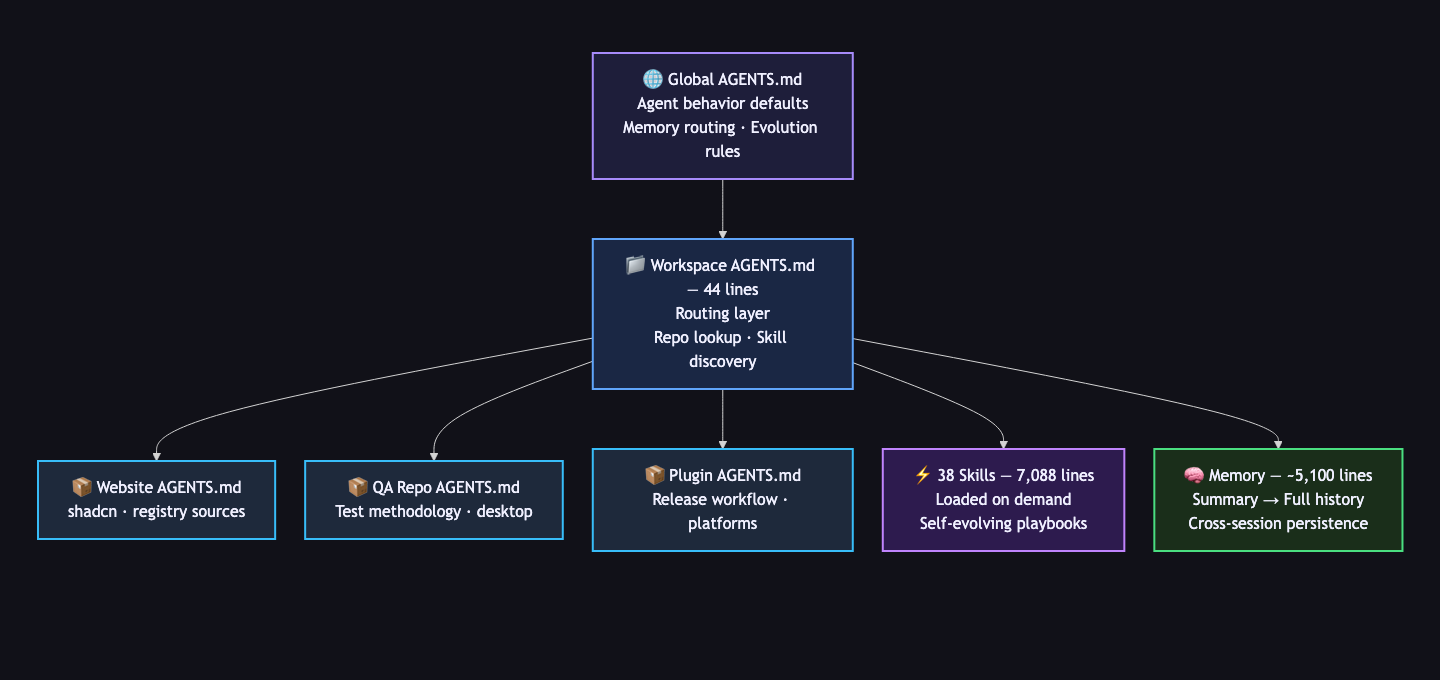
I run 38 skills, which are specialized playbooks that load dynamically based on what the agent detects in my prompt. When I type $refactor ChatView UI, the agent matches it to the refactor skill and loads a complete execution methodology: inspect the codepaths, plan the scope, implement with a bias toward ownership boundaries, verify with lint and typecheck and build, and commit only when coherent.
When I type blog-post, it loads a 14-phase autonomous pipeline that discovers a topic from multiple sources, researches it with grounded evidence, writes a full draft, optimizes in a quality loop, commits to a git branch, runs a QA suite, and waits for my approval before merging to production. This post was built by that pipeline.
The skills aren't stored in AGENTS.md. They're separate files, 7,088 lines across 38 skills at the time I wrote this, and the agent loads at most one or two per session. The workspace AGENTS.md just tells the agent that skills exist and how to find them.
This is the part the guides miss entirely. A static instruction file can tell an agent how to format code. It can't tell an agent how to run a refactor end-to-end, how to discover an SEO-optimized blog topic, or how to execute a multi-phase QA workflow against a desktop application. That depth lives in skills.
A practical example of cross-tool prompt sharing
This captures the core problem. People are manually copying agent prompts between tools because there's no shared instruction layer beyond basic build commands. A skills system solves that: write the playbook once, and every agent that reads your instruction surface gets it.
Memory Turns Single Sessions Into Continuous Work
The other missing layer is memory. My system has three tiers:
memory_summary.md(about 500 lines): concise durable truths. User preferences, workflow patterns, active project context. The agent checks this first.MEMORY.md(about 4,600 lines): deeper history and provenance. The agent reads this only when the summary isn't enough.- Session context: whatever the agent discovers during the current task. If it's worth keeping, it gets promoted to durable memory.
The workspace AGENTS.md handles the routing: "For durable cross-session context, consult memory_summary.md first, then MEMORY.md only if needed."
Without memory, every session starts cold. The agent doesn't know my deployment targets, active project priorities, or the dozens of specific preferences I've established over months of work. With memory, the agent picks up where the last session left off.
I also have a defrag-memory skill that periodically prunes stale entries. This matters more than most people realize. The AI Hero team called it out directly: "For AI agents that read documentation on every request, stale information actively poisons the context." Memory that doesn't evolve rots. So the memory system includes its own maintenance loop.
Per-Repo Specialization Is the Feature That Matters Most
The workspace AGENTS.md routes to repo-specific instruction files. Each repo has its own AGENTS.md tuned to its domain.
My website repo AGENTS.md focuses on frontend tooling:
## shadcn v4 Workflow
- Use npm run ui:info before adding or updating components.
- Prefer registry sources: @systemsculpt, then @shadcn, @tailark.
- Run npm run ui:smoke before closeout when shadcn is part of the change.
My QA testing repo AGENTS.md focuses on test methodology:
## Canonical Route
1. Documentation Map: documentation order and routing.
2. Clean-Slate QA: live desktop playbook and blocker handling.
3. Live UI Scenario Authoring: prompt recipes
   and committed contracts.
4. Probe-First Methodology: discovering the right
   visible postcondition before codifying it.
Same agent. Different context. Different instructions. The agent doesn't need to know about shadcn when it's writing test scenarios, and it doesn't need QA routing when it's building a web page.
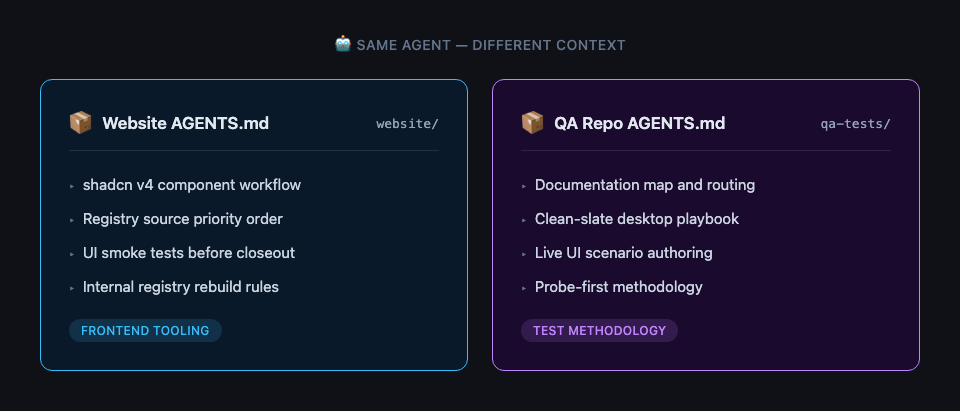
This is what "AGENTS.md at any directory level" actually means in practice. The AGENTS.md spec supports it. Most guides mention it in passing. In production, it's the feature that compounds the most.
Three Principles for AGENTS.md Past the Basics
After running this system across hundreds of agent sessions, three principles emerged:
Keep the root compact. Route, don't dump. My workspace AGENTS.md is 44 lines because its job is routing, not instruction. The depth lives in skills, memory, and per-repo files. A compact root means the agent loads the right context instead of drowning in everything at once.
Let specialists specialize. A refactor skill knows how to refactor. A blog pipeline knows how to publish. A QA skill knows how to validate desktop automation. None of that belongs in a catch-all instruction file. The ETH Zurich finding that human-written AGENTS.md outperforms LLM-generated ones makes sense here. The value comes from operator judgment about what matters for each context, not from comprehensive coverage of everything.
Build in self-correction. I have a self-evolve skill that exists for exactly one reason: playbooks go stale. When a skill-backed task reveals a better method during execution, the skill updates itself in the same pass. No manual maintenance. No "I'll fix the docs later." The system treats its own instructions as code that gets refactored alongside everything else.
Most AGENTS.md content today is static: write it once, then hope it stays accurate. The system that actually ships is the one that corrects itself.
The File Is Just the Entry Point
This system ships real things. At the time I wrote this, that meant seven Obsidian plugin releases in 30 days, more than 130 commits across repositories, and production blog posts written, optimized, and deployed autonomously. The AGENTS.md file was the smallest visible part of it: 44 lines out of more than 12,000 lines of total instruction surface.
If your AGENTS.md is just build commands and style rules, it's already working for you. The research proves it. But if you're running agents across multiple repos, multiple task types, and multiple sessions, the instruction surface needs to grow beyond a single file.
You don't need to build all of this at once. Start with what the guides tell you. Add a second AGENTS.md in a subdirectory when repo-specific rules emerge. Extract your first skill when you find yourself re-explaining the same complex workflow. Add memory when session-to-session context starts to matter.
The file is just the entry point. The system is what ships.
Next Step
If your own AGENTS.md is starting to sprawl, do not rewrite the whole system first. Take one repeated workflow and separate the routing from the execution contract:
- Put the durable entry rule in AGENTS.md.
- Move the detailed method into a skill, repo note, or runbook.
- Add one verification rule that proves the workflow actually finished.
- Delete any instruction that only repeats what the model or tool already knows.
That is enough to make the file start acting like a router instead of a dumping ground.
If you want to see what a skills-driven agent workflow looks like inside Obsidian, start with SystemSculpt for Obsidian and the vault workflows guide.