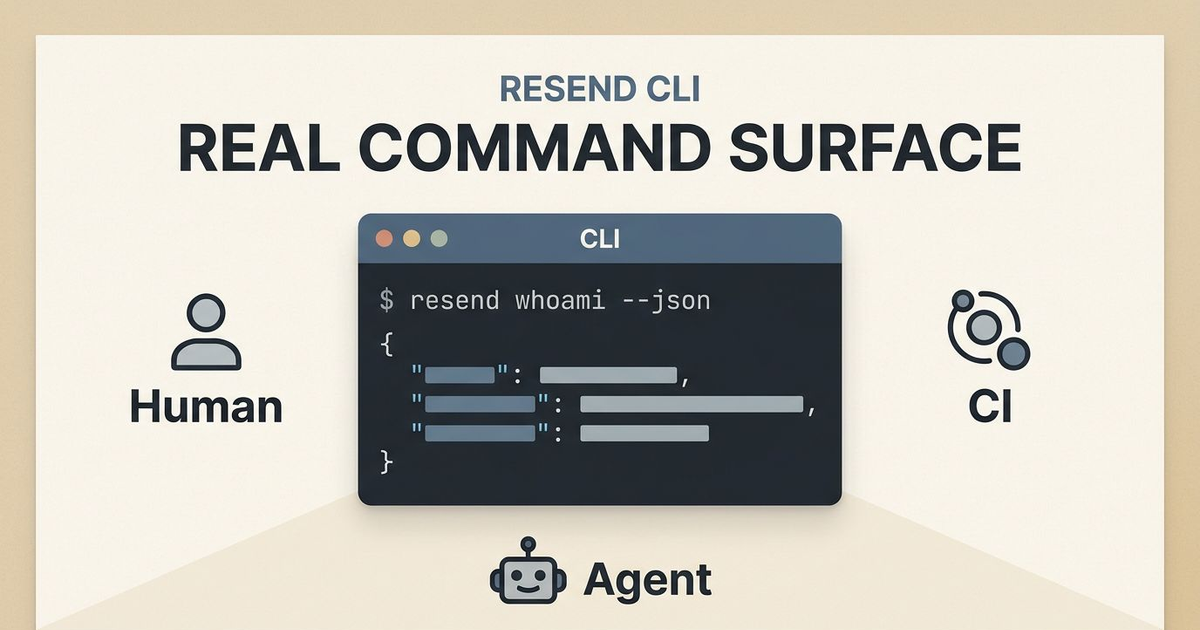
Today, Zeno Rocha announced the Resend CLI on X.
Zeno Rocha's Resend CLI announcement
The launch framing was simple and good: command count, open-source status, and an install line you can copy immediately.
I installed it immediately.
Two commands told me almost everything I needed to know:
resend whoami --json
resend doctor --json
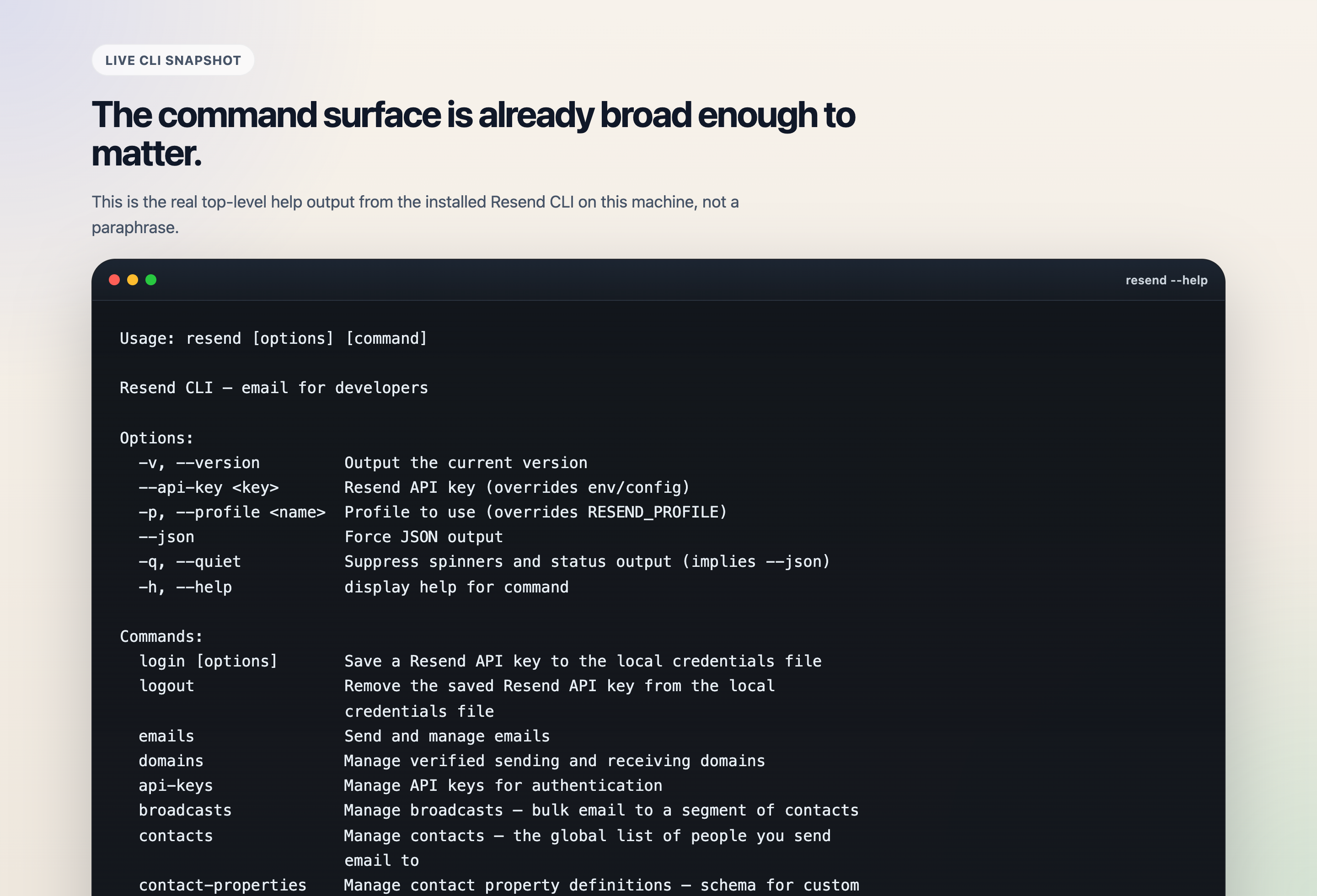
The installed binary already exposes a non-trivial command surface. This is not a one-endpoint novelty wrapper.
On this machine, whoami returned a masked API key, the active profile, and the fact that the key was coming from the environment. doctor did something more interesting: it failed. Not because the CLI was broken, but because the key available here is restricted to sending only, and the doctor flow validates against the domains API.
{
  "authenticated": true,
  "profile": "default",
  "api_key": "re_...KA2C",
  "source": "env"
}
{
  "ok": false,
  "checks": [
    {
      "name": "CLI Version",
      "status": "pass",
      "message": "v1.4.1 (latest)"
    },
    {
      "name": "API Key",
      "status": "pass",
      "message": "re_...KA2C (source: env)"
    },
    {
      "name": "API Validation",
      "status": "fail",
      "message": "API key invalid: This API key is restricted to only send emails"
    }
  ]
}
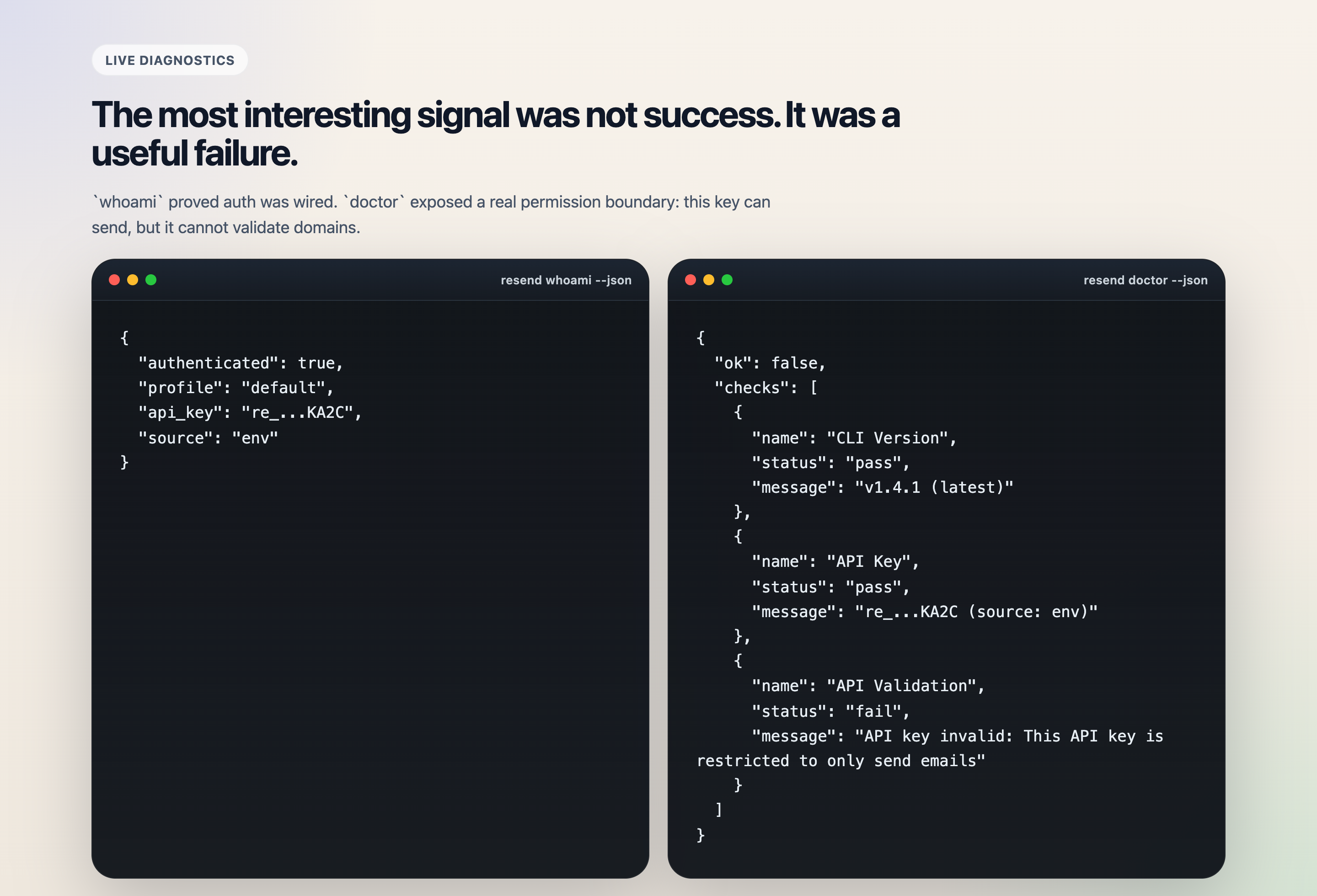
whoami proves wiring. doctor exposes the permission boundary. That combination is more informative than a clean happy-path demo.
That is a rough edge.
It is also proof that this is not launch theater.
The CLI is touching real product surfaces, exposing real permission boundaries, and trying to serve three execution modes at once:
- a human at a terminal
- a CI job
- an AI agent that needs stable machine-readable output
That combination is still rarer than it should be.
This was not a one-command stunt
The launch post pitched the CLI with a nice simple frame: open source, installable with curl, and "53 commands."
The deeper story is that Resend has been shipping this quietly and quickly for weeks. The first tagged release landed on February 18, 2026 with a very small surface: login, email send, and doctor. By March 13, 2026, the project was already at v1.4.1, with 19 tagged releases published in less than 23 days.
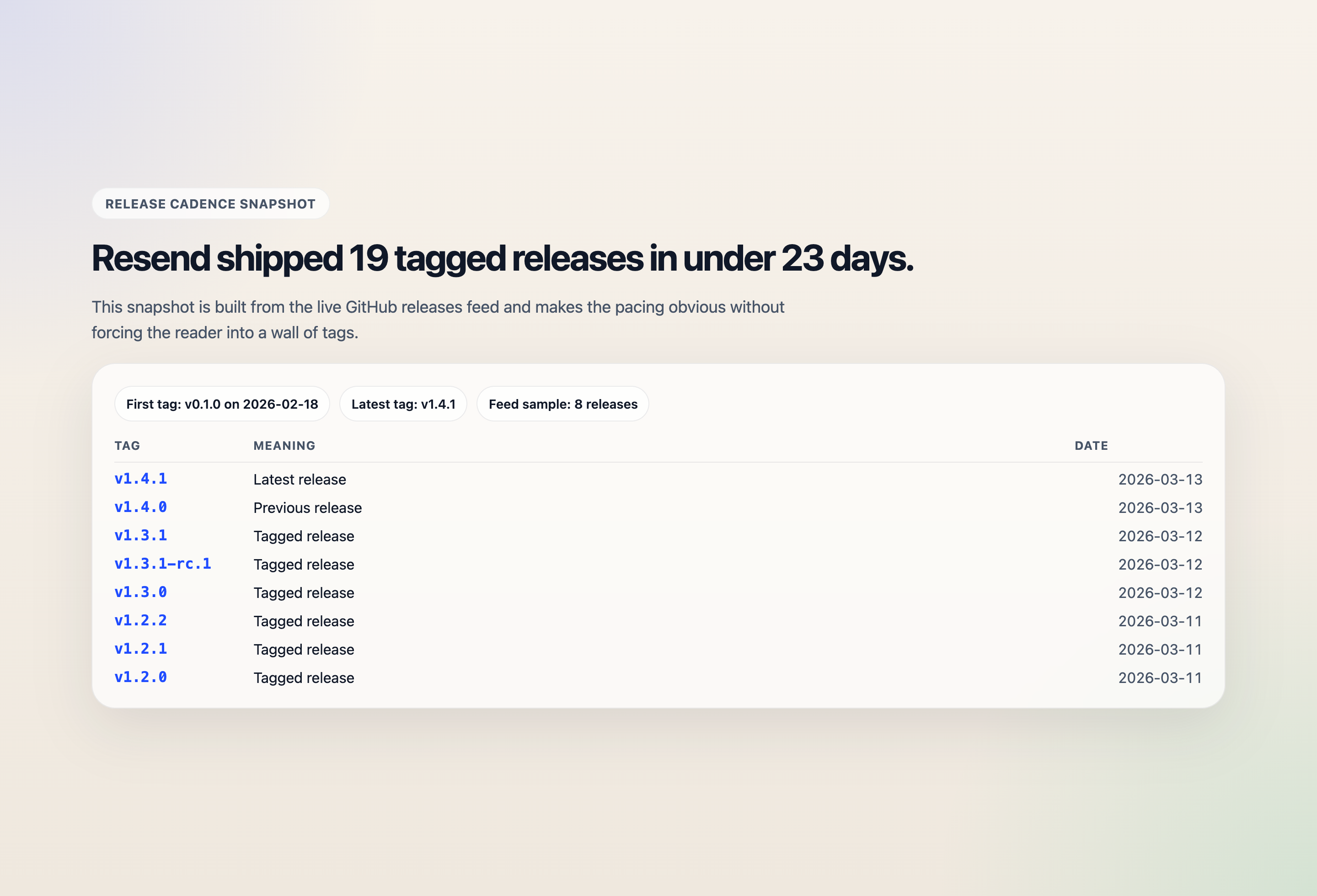
This is the part that makes the launch more credible: the repo has clearly been moving before the tweet.
That pace matters because it tells you what this product is trying to become.
This is not just "curl wrapper for one send endpoint."
The current CLI surface already spans:
- authentication and profile switching
- direct email sends, batch sends, scheduled updates, and inbound-email handling
- domains and API keys
- contacts, contact properties, segments, and topics
- templates and broadcasts
- webhooks, including local listening
- diagnostics and dashboard handoff
The current repo also contains a surprisingly deep command tree. Reading the source, I counted 16 top-level entry points and 72 non-index command handler files. That is not "toy CLI" territory anymore.
The interesting part is not the number of commands
The interesting part is that the design clearly assumes the CLI will be used by both people and automation.
The README says that explicitly: it is built for humans, AI agents, and CI/CD pipelines.
A lot of developer tools say some version of that now. Most of them do not actually follow through.
Resend mostly does.
One quick excerpt from the installed help output makes the point:
Usage: resend [options] [command]

Options:
  -v, --version         Output the current version
  --api-key <key>       Resend API key (overrides env/config)
  -p, --profile <name>  Profile to use (overrides RESEND_PROFILE)
  --json                Force JSON output
  -q, --quiet           Suppress spinners and status output (implies --json)
  -h, --help            display help for command

Commands:
  login [options]
  logout
  emails
  domains
  api-keys
  broadcasts
  contacts
  contact-properties
  segments
  templates
  topics
  webhooks
  doctor
  auth
  open
  whoami
Three choices stood out when I read the repo and compared it with the installed binary.
1. It treats machine-readable output like a first-class contract
The CLI does not make automation fight through decorative terminal output. In the installed help text and the shared output helper, JSON is not an afterthought:
--jsonforces machine-readable output- piped stdout auto-enables structured output
-qsuppresses spinners and implies JSON- errors land in a consistent envelope with
messageandcode
That sounds small until you try to put a CLI inside a real workflow.
For humans, pretty output is nice.
For CI and agents, stable output is the product.
That one decision alone makes this CLI much more usable than the average vendor shell wrapper.
2. It ships documentation inside the binary
The shared help text builder is one of the better product decisions in the repo.
Instead of leaving the command surface half-documented, command help repeatedly includes:
- required inputs
- output shape
- explicit error codes
- example invocations
- global option behavior
That is great for humans.
It is arguably even better for agents, because the CLI itself becomes a source of truth. An agent can inspect --help, see what JSON comes back, understand failure codes, and adapt without scraping a separate docs site.
I think more tool vendors are going to discover this the hard way: the agent era rewards binaries that explain themselves.
3. It uses interaction where interaction helps, and nowhere else
The implementation stack is boring in a good way: Commander, Clack prompts, a thin shared action layer, and the official Resend SDK underneath.
That is exactly what I want here.
Interactive mode helps a human finish a send or select a profile. Non-interactive mode gets stricter, not looser. Missing fields become explicit failures instead of hidden prompts or partial success.
That split is visible all over the code:
whoamiis intentionally local-only and avoids network calls- auth resolution has a clear priority chain: flag, env var, then config file
- config writes use locked-down permissions in
src/lib/config.ts - shared wrappers standardize list/get/create/delete/write command behavior
That is what good operational tooling looks like. Not fancy. Just disciplined.
The real surprise is how much of Resend's product is already in the terminal
The surface that impressed me most was not emails send. Every email platform can demo that.
The more interesting parts are the places where Resend pushed the CLI past the obvious.
Webhook listening is genuinely useful
The webhooks listen command is a good example.
It does not just tell you to run your own listener. It starts a local HTTP server, registers a temporary webhook against a public tunnel URL, displays live events, can forward the original payload and Svix headers onward, and cleans up the temporary webhook on exit.
That is not a thin wrapper around one endpoint. That is real product thinking.
Broadcasts, topics, and segments make this an operator tool, not just a developer toy
The CLI already covers the operational layer of email, not only the transactional one:
- segments as named recipient groups
- topics for subscription preferences
- contact properties as schema for custom audience data
- templates with declared variables
- broadcasts with draft, send, update, and delete flows
It even supports natural-language scheduling in broadcast commands, with examples like "in 1 hour" and "tomorrow at 9am ET" in the shipped help text.
That is a real difference.
Most vendor CLIs stall out at "create resource, get resource, delete resource." This one is already trying to encode workflows.
Inbound email handling is a strong tell
The emails receiving subtree is another sign that the team is thinking beyond outbound API calls. You can list received emails, fetch them, inspect attachments, download a specific attachment, and forward a received email onward from the CLI.
That is a richer operational story than most launch-day command surfaces even attempt.
It still has rough edges
I do not think this is finished polish.
A few things stood out immediately:
- The release history is moving much faster than the checked-in
CHANGELOG.md, which still only documents the earliest versions. doctorcurrently treats domains access as part of API validation, which means a send-only key can look "broken" even when auth is working exactly as intended.- There is still some transition baggage in the surface, like top-level
loginandlogoutalongside theauthnamespace, plus deprecated team terminology hanging around in compatibility paths.
None of that scares me much.
If anything, it reads like a team that is shipping aggressively and still normalizing the surface.
The important thing is that the shape underneath already feels right.
Why this matters more than "Resend shipped a CLI"
I think the real takeaway is bigger than Resend.
We are entering a phase where every serious SaaS product will eventually need to serve at least four interfaces:
- dashboard
- API
- SDK
- CLI
The dashboard is for exploration. The API is for primitives. The SDK is for application developers. The CLI is for operators, support loops, CI, and increasingly for agent runtimes.
That last category is the one people still underestimate.
An agent does not just need access. It needs stable verbs, predictable errors, explicit flags, and output it can trust without heuristics. A human operator needs almost the same thing, just with better ergonomics.
That is why I find this launch interesting.
Resend is not just adding another integration surface. It is collapsing more of its operational model into a form that is shell-native, scriptable, auditable, and reasonably agent-friendly.
That is the right direction.
My CLI Design Checklist
I do not think the Resend CLI is interesting because it exists.
I think it is interesting because it shows what a modern SaaS CLI starts looking like when a team actually takes terminal use seriously:
- structured output by default when automation needs it
- strict non-interactive behavior
- real workflow coverage instead of one-endpoint demos
- local diagnostics and profile management
- enough help text that the binary can teach itself
That is a much more important pattern than email specifically.
If I were building agent-heavy internal operations today, this is the kind of command surface I would rather target than a pile of handwritten REST glue.
And if I were a vendor watching this category, I would pay attention to the design choices here, not just the marketing line.
The agent era will reward products whose command surfaces are explicit, debuggable, and boring in the right ways.
Resend's new CLI is one of the clearest recent examples I have seen of that starting to happen in the wild.
If you want that same bias toward explicit contracts, reviewable operations, and automation surfaces inside Obsidian, start with SystemSculpt for Obsidian or compare the monthly and lifetime options.