49 agents. Ready to work.
For Claude Code, Codex and SystemSculpt in Obsidian.


SystemSculpt
Ask in your vault.
Claude Code runs the agent. The note lands where you said.
Before and after
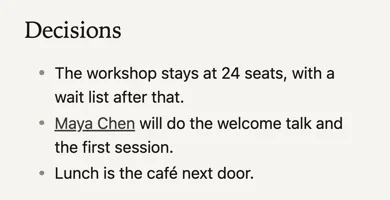
A transcript in. Decisions out.
Every quote comes from the transcript.
Claude Code
A review before you merge.
product‑reviewer reads your commit. It can’t edit it.
Codex
The same agents in Codex.
Your week, reviewed in one note.
Catalog
Every agent. Every workflow.
Each one a Markdown file you can edit.
Your Obsidian vault: notes, captures, meetings, reviews.
Reads your saved SystemSculpt chats in SystemSculpt/Chats/ and distills the decisions, reusable prompts and answers worth keeping into evergreen notes that link back to the chat. Use when good answers are buried in old chats or you keep re-asking the same questions.
Builds today’s plan in your daily note from open tasks, the calendar text you paste and yesterday’s leftovers, time-blocked around fixed events with real buffers, carrying tasks over without duplicating them. Use each morning, or when a day went sideways and needs replanning.
Runs a health check on your Obsidian vault and reports broken links, orphan notes, empty notes, near-duplicate notes and inconsistent tags and properties, then fixes only what you approve. Use when your vault feels messy, links broke after renames, or before a cleanup session.
Processes your iPhone captures in SystemSculpt/Inbox/ and other loose notes, giving each a clear title, properties, tags and links, then moves it to the home folder you define, keeping its capture_id. Use when your inbox has piled up or quick captures need filing before you lose track of them.
Builds or refreshes a Map of Content, an index note for one topic, grouping and annotating the notes that actually exist in your vault with a one-line summary each. Use when a topic has grown past what you can hold in your head, or an old index has gone stale.
Turns meeting captures, Audio Processor results and transcripts in your vault into a meeting note with summary, decisions, owned and dated action items as tasks, open questions and links to people and project notes. Use when a call is recorded or transcribed and you want what was agreed, quoted only from the transcript.
Builds or refreshes one Projects status note across your Obsidian vault, with each project’s status, next action, last touched date, stalled flag, open task count and recent meetings, taken only from the notes that exist. Use when you want one view of every project, or to find what has quietly stalled.
Turns PDFs, web clips, highlights and book notes in your Obsidian vault into literature notes with source properties, key ideas in plain words, exact quotes with page or section, your own highlights kept, links to related notes and open questions. Use when you have read something worth keeping and want notes you can cite later.
Splits long notes into atomic notes, merges duplicates, renames notes and moves folders in your Obsidian vault, updating every link and embed that points at them, and shows the plan with a link count before changing anything. Use when restructuring notes without breaking the links between them.
Answers a question from the notes in your Obsidian vault, citing each claim with a [[link]] to the note it came from and keeping what the notes say apart from its own inference. Uses the web only when you ask, then cites URLs. Use when you need what you already know, with sources.
Inspects your Obsidian vault’s folders, notes, properties, tags, daily notes and SystemSculpt folders, then writes the vault’s own CLAUDE.md and AGENTS.md so every AI session knows what lives where, how you name and file notes, and what never to touch. Use when you first bring Claude Code or Codex into a vault, or when its layout has changed.
Writes your weekly review from the past 7 days of daily notes, tasks, meetings and changed notes, covering what got done, what slipped, decisions made, open loops and a proposed top 3 for next week, in one review note. Use at the end of the week or before planning the next one.
Build, fix, test and document what you make.
Designs systems and makes technical decisions with explicit trade-offs, then writes them down as a decision record and a staged plan. Use when choosing a stack, service or data model, planning a migration or refactor, or deciding how a new part of a system should fit.
Builds working features end to end in an existing codebase, matching its patterns, with tests and a clear summary of what changed. Use when you want new functionality, an API endpoint, an integration or a script written and verified, not just designed.
Turns commits, merged changes and notes into release notes, changelog entries, version numbers and migration guides that say exactly what changed and what users must do. Use when preparing a release, catching up a stale changelog, or announcing a breaking change.
Writes accurate reference documentation from the actual code and config, including READMEs, API references, setup guides, architecture overviews and code comments. Use when docs are missing, out of date, or a developer or power user needs to look up how something works.
Writes tutorials, how-to guides and learning paths that take a named reader from where they are to a working result, one checked step at a time. Use when people need to learn your product, tool, codebase or process, not just look up a fact.
Finds the root cause of a bug, error or failing build, makes the smallest fix that removes it, and adds a test so it stays fixed. Use when something worked and now does not, a stack trace or error log needs explaining, or a failure is intermittent.
Measures where time, memory or money goes in working code, fixes the biggest bottleneck, and proves the gain with before and after numbers. Use when a page, query, script, build or job is too slow, uses too much memory, or costs too much to run.
Reviews a change or codebase for bugs, security holes and maintainability, and returns findings ranked by severity with file and line and a concrete fix. Use before merging, after a large change, or when you want a security or quality audit of code you did not write.
Writes and runs unit, integration and end-to-end tests that catch real failures, in your project’s existing framework and style. Use when code needs coverage before a change, a feature needs acceptance tests, a suite is flaky or slow, or you want to know what is untested.
Support, teach and grow the people you serve.
Gives live, step-by-step guidance in chat, one step at a time, checking each result before the next, until the task works. Use when you or a customer is stuck mid-task, setting something up, or reading an error and needs patient help right now.
Finds your happiest customers in the evidence, drafts the ask, interview questions and case study, and tracks permission for every name and quote. Use when you want testimonials, customer stories, referrals or a small group of advocates, grounded in real results.
Plans community events end to end, from format and run of show to invite drafts, host script and follow-up recap. Use when you want to run office hours, a webinar, AMA, launch stream, meetup or recurring community ritual that people actually show up to.
Builds and maintains a self-service knowledge base, writing FAQs, help articles and saved replies from real customer questions and keeping them findable and current. Use when the same questions keep coming in, or your help docs are scattered, stale or hard to search.
Writes community guidelines, reviews reported posts and threads against them, and drafts fair, calm moderator messages and decision logs. Use when you run a community, forum, Discord, comment section or group and need consistent calls on rule breaks, conflicts and appeals.
Reads customer usage, billing and support exports, defines simple health signals, and flags who is at risk, who is stuck and who is thriving, with a next step for each. Use when you want to know which customers need attention before they cancel or go quiet.
Designs the path from signup or purchase to a new user’s first real result, with welcome messages, a setup checklist and nudges for people who stall. Use when new customers sign up and drift away, ask the same setup questions, or never reach the point where it clicks.
Triages support requests, works out what is wrong from the details given, and drafts clear replies and bug reports. Use when a customer email, ticket or message needs an answer, a priority, or a clean handoff to whoever can fix it.
Designs workshops, cohorts and training programs that build real skill through practice, with exercises, facilitator notes and a check that people can do the task. Use when customers, clients, members or staff need to get good at your product or method, live or self-paced.
Ship, run, protect and plan the work.
Organizes business finances into bookkeeping categories, cash-flow tables, budgets and month-end checklists, and prepares questions for your accountant. Drafts only, not tax or accounting advice, and it never files, pays or moves money. Use when you have bank exports, receipts or a budget to make sense of.
Answers business questions from your own data, cleaning exports, running the analysis in SQL, spreadsheets or Python, and reporting findings with numbers, method and caveats. Use when you have a question about performance, trends or a forecast and a CSV, database or report to answer it from.
Reviews contracts and policies in plain English, flags risky clauses, and drafts redlines, checklists, first drafts and questions for your lawyer. Drafts only, not legal advice, and it never signs, sends or files anything. Use when you receive a contract, NDA, terms of service or vendor agreement, or need a starting draft.
Finds and fixes security weaknesses in your code, config and accounts, and writes hardening changes, incident checklists and response runbooks. Defensive only. Use when you want a security review before launch, suspect a leaked key or compromise, need to rotate secrets, or must answer a security questionnaire.
Plans and runs releases, writes CI/CD pipelines and deploy scripts, and states the rollback before anything ships. Use when code is ready to go live, a pipeline needs building or fixing, or you want a release checklist with health checks and a tested way back.
Maps what personal data you collect and where it goes, then drafts data inventories, privacy notices, impact assessments, retention rules and data-request procedures for GDPR, CCPA and similar laws. Drafts and checklists, not legal advice. Use when you collect user data, add a tracker or vendor, or receive a data request.
Turns goals into plans you can execute, with milestones, owners, dependencies, time and budget estimates, risks and a weekly tracking view. Use when you have a project, launch, quarter or hire to plan, need to decide what to drop, or a plan has slipped and needs re-planning.
Plans capacity and scaling for apps and infrastructure, writing load tests, autoscaling and caching config, and cost estimates from your real usage data. Use when traffic is growing, a launch is coming, the app slows under load, or your hosting bill has outgrown your usage.
Designs monitoring that catches real problems, writing health checks, alert rules, dashboards and runbooks, and reads logs you point it at to explain what happened. Use when you need to know your app or site is up, alerts are noisy or missing, or a log needs explaining.
Position, write, launch and measure.
Analyzes your sales, marketing and customer data from exports you provide, computing funnels, cohorts, retention, channel results and simple forecasts with the method shown. Use when you have a revenue question and the CSVs or spreadsheets to answer it, and want numbers you can check.
Plans marketing campaigns end to end as a brief, channel plan, calendar and asset list, with every claim traced to facts you supplied. Use when you are launching a product, offer or event and want a campaign you can review, approve and run yourself.
Prepares you to win live deals honestly with call plans, discovery questions, objection answers, proposals and follow-up drafts built from your notes. Use when a qualified prospect is talking to you and you want the next conversation, proposal or negotiation to move to a clear yes or no.
Writes design briefs, layout specs, copy hierarchy and real-size checks for landing pages, emails, ads and social graphics. Use when you or a designer need to know exactly what goes where, at what size and weight, and what to check on desktop and phone before it ships.
Plans word-of-mouth growth through community, referral and advocacy programs, creator partnerships and customer stories, all with permission and disclosure. Use when you want happy customers to spread the word honestly, need a referral or partner program designed, or want a community plan you can run yourself.
Keeps existing customers successful and growing with account health reviews, renewal plans, check-in drafts and expansion ideas based on real usage and notes. Use when you want to prevent churn, prepare a renewal or review, or spot where a current customer would genuinely benefit from more.
Defines your ideal customer, researches and qualifies prospects from public sources or lists you provide, and drafts personal, specific first messages for you to send. Use when you want a short list of well-fit prospects and outreach that respects consent and anti-spam law.
Builds go-to-market and growth strategy covering target customer, positioning, competitors, pricing options and a phased plan, with sources and assumptions shown. Use when you are deciding who to sell to, how to stand apart, what to charge, or where to focus the next quarter.
Writes clear, specific marketing and sales copy in your voice, with every claim backed by something you supplied. Use when you need a landing page, email, announcement, product description, ad or social post drafted and tightened for you to review before it goes out.
Several agents, one job, in order.
Sets an Obsidian vault up for AI in one pass: writes the vault’s CLAUDE.md and AGENTS.md, reports vault health and plans the inbox, changing nothing without your approval. Use the first time you open Claude Code or Codex in your vault, or after installing the bundle.
Turns a recorded or captured meeting in your Obsidian vault into a meeting note with decisions and owned, dated action items, then puts your own actions into today’s plan. Use after a meeting recorded with SystemSculpt, captured on iPhone or saved as a transcript.
Runs a weekly reset on your Obsidian vault: file the inbox, check vault health, refresh project status, write the weekly review and plan Monday, with your approval at each step. Use once a week, or when your vault feels out of control.
Refreshes one Projects status note across your Obsidian vault, flags stalled projects and missing next actions, then puts today’s project next actions into your daily note. Use at the start of a day or week when you want every project moving, or when you suspect something has quietly stalled.
Takes a feature from idea to built, tested, reviewed, documented and deployed by running the bundle’s product agents in order, with your approval before deploy. Use when you say “build and ship X” or want a feature done properly rather than just coded.
Finds the root cause of a bug, fixes it with a regression test, checks nothing else broke and records the change. Use when something is broken, erroring, slow or wrong and you want it fixed for good, not patched.
Plans and drafts everything for a launch: positioning, copy, visuals brief, campaign calendar, how you will measure it and an FAQ - with every outward step left for you. Use when you are launching a product, feature, offer, course or piece of content.
Answers a support question well, then turns it into a new or improved help article and logs it as a recurring issue, so the next person can answer it themselves. Use when you handle a customer or user question and want it to be the last time you answer it by hand.
Make your own: agent-builder writes a new agent from your description.
Install
One line.
Every agent and workflow, for Claude Code and Codex.
- Mac or Linux
sh install.sh "/path/to/your vault", orsh install.sh --globalfor every project.- Windows
powershell -ExecutionPolicy Bypass -File install.ps1- Your AI
- In SystemSculpt chat, Claude Code or Codex, paste
Install the SystemSculpt agents bundle from <path to unzipped folder> into this folder by following its INSTALL-WITH-AI.md. - SystemSculpt
- Its chat reads the install in your vault.
- Cursor
- Reads the Claude Code install as is.
What’s inside.
- 49 agents. Vault, Create, Connect, Organize and Grow, plus agent‑builder.
- 8 workflows. Agents in order, stopping for your yes.
- Try it first. A small invented business to test on, and every agent’s real reply.
- Codex files. The same 49 agents as .toml.
- Tool limits. Read‑only agents can’t edit files or run commands.
- Plain Markdown. Read and edit every one.
- Price
- $99
- Formats
- Agents (.md), Codex agents (.toml), agent skills (SKILL.md)
- Needs
- Claude Code, Codex, Cursor or SystemSculpt in Obsidian.
- Version
- 3.0.0New: one‑step install, a try‑it world and 3 vault agents.
- License
- Use them on your own devices, for your own and client work. Please don’t resell or share the files.
Who it’s for.
- Obsidian users
- Meetings, inbox and reviews, done in your vault.
- Builders
- Review, fix, test and ship. One agent each.
- Solo businesses
- Support, launches and copy, drafted for you.
Questions.
Claude Code, Codex, Cursor and SystemSculpt chat in Obsidian. Anywhere else, paste an agent’s text in as instructions.
No. The agents work in Claude Code, Codex and Cursor on their own.
Yes, unless it’s marked Read-only. None deletes a note. Nothing is sent, published or paid for without your yes.
On a Mac, Finder hides folders that start with a dot. Press Cmd + Shift + . to show them.
Yes. Describe it to agent-builder. It writes the new agent in the same format.
Yes, under Downloads in your dashboard. Run the installer again. Agents you edited are backed up first.
More from SystemSculpt

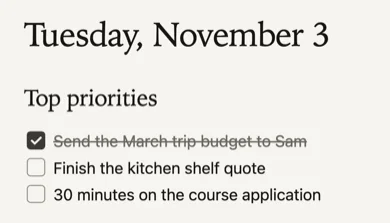
Starter vault
FreeA daily note, an inbox and house rules for AI.
The Artist’s House at Argenteuil, Claude Monet, 1873

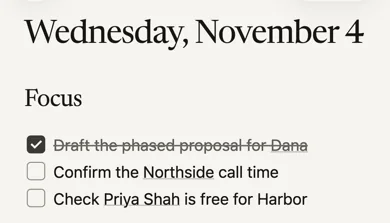
Daily vault
$199Your day, your clients and what’s due.
Auvers, Panoramic View, Paul Cézanne, 1873–75
AI-ready vault
$29Capture anywhere. Your agent files it.
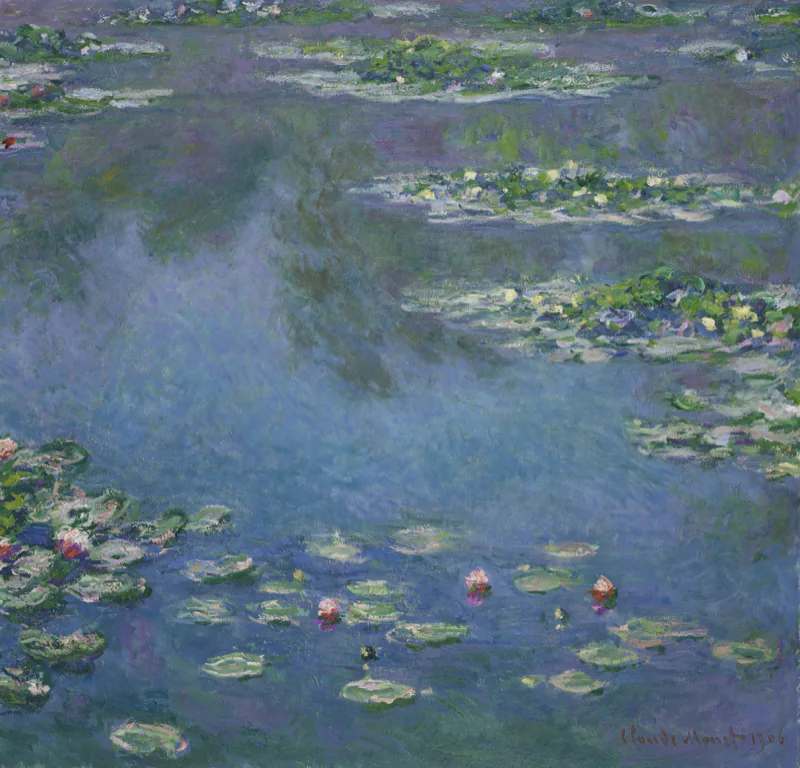
Water Lilies, Claude Monet, 1906

Daily journal pack
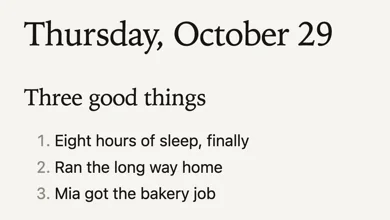
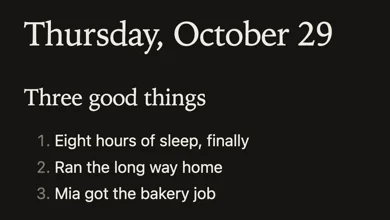
$9A few lines a day. Read it back each week.
Branch of the Seine near Giverny (Mist), Claude Monet, 1897


