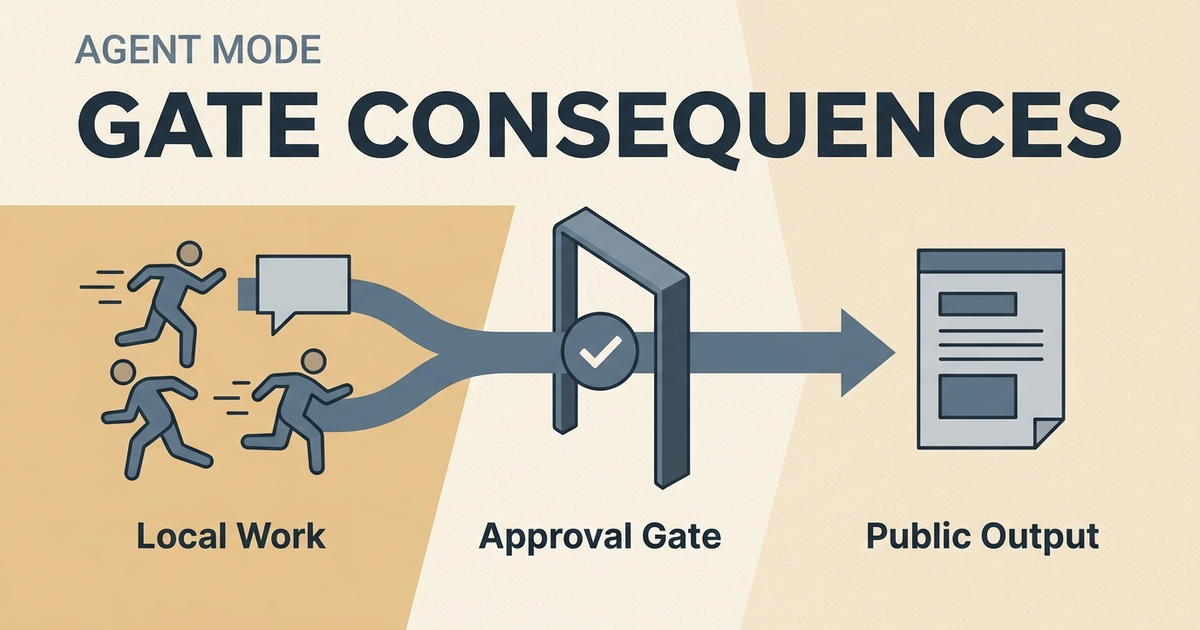
Do not gate effort. Gate consequences.
That is the line I keep coming back to as agent mode gets better. I do not want an assistant that asks me before every rg, npm test, screenshot capture, or local script. That turns me into the scheduler. If the agent needs permission for every small motion, I am still doing the workflow with extra steps.
The gate belongs somewhere else: right before the action creates a public, irreversible, financial, or access-changing result.
That is the difference between safe AI automation in Obsidian and permission prompt hell.
It is also the boundary I use in SystemSculpt for Obsidian: local work can stay fast, while changes that affect the vault remain reviewable.
The runtime is becoming the product
The model discourse is loud right now, but the bigger shift is the runtime around the model.
My original note on gating consequences instead of effort
OpenAI's April 16, 2026 Codex update says Codex can now operate the user's computer by seeing, clicking, and typing with its own cursor, while agents work in parallel on a Mac without blocking the user's own work. The same release also points at an in-app browser, plugins, image work, memory, and repeatable automations.
The day before, OpenAI described the next Agents SDK as a way for agents to inspect files, run commands, edit code, and work on long-horizon tasks inside controlled sandbox environments. The SDK docs also describe sandbox agents that can work on real files, use shell commands, edit files, generate artifacts, and resume sandbox sessions.
That is the useful part.
Agents are moving from chat boxes into workspaces. They can read files, run commands, patch code, inspect output, keep state, and come back later. Once that is true, the operator's job changes. The question stops being "should the agent be allowed to do anything?" and becomes "where does autonomous work become accountable output?"
AgentOps is boundary design
I bookmarked this because it names the job surface cleanly:
Alex Bouaziz's example of supervised agent work
Agent operations means designing the boundary between work and consequence.
Inside the work loop, the agent should move fast. It should search the vault, edit a draft note, run local checks, inspect a diff, take a screenshot, and try the next fix. That is execution. Blocking those steps turns autonomy into theater.
At the consequence boundary, the agent should stop and ask.
graph LR
    A[Local work loop] --> B[Drafts, diffs, tests, screenshots]
    B --> C{Consequence boundary}
    C -->|Reversible local work| A
    C -->|Public or irreversible| D[Human approval]
    D --> E[Publish, send, merge, release, deploy]
That boundary is where AgentOps starts to matter.
It is the point where a local action becomes a public statement, a production change, a sent message, a merged branch, a release artifact, a deleted record, a changed permission, or a real charge.
Bash commands are not the enemy
I do not want approval gates for ordinary bash commands.
An agent should be allowed to run commands like these when it is working inside the allowed workspace:
rg "approval" src/content
npm test -- --runInBand
git diff -- src/content/blog/posts/new-draft.md
npx tsx scripts/seo/content-quality-gate.ts --strict
Those commands create feedback. They do not publish anything. They do not spend money by themselves. They do not send an email, change access, delete a customer record, or push production code.
There are exceptions. A command like rm -rf, a database migration against production, a permissions change, a deploy command, or a script that sends messages crosses a different line. The shell only tells you the interface; the consequence tells you the risk category.
If the approval policy treats rg and wrangler deploy as the same kind of event, the policy is too blunt.
Obsidian file edits are normal execution
For my Obsidian workflow, ordinary file edits are part of the work loop.
People searching for Obsidian AI approvals before file edits are asking the right safety question. My answer is more specific than a universal prompt before every write.
If an agent edits a draft note, restructures a project spec, adds a checklist, or proposes a new section, I want that to happen without stopping every thirty seconds. The safety comes from local scope, visible diffs, version history, and review after meaningful chunks of work.
The gate belongs before the edit becomes hard to unwind or leaves the vault:
- publishing a public blog post
- creating release notes for a shipped version
- sending a client-facing update
- deleting or rewriting canonical records
- changing credentials, access, or billing state
- committing and pushing changes that trigger other systems
That is why I still care about approvals. I just care about them in the right place.
An approval before a draft edit slows down the agent. An approval before a release keeps the operator accountable.
The single interface only works if the gates are right
I posted this because I think most agent UIs are temporary scaffolding:
My example of review-first automation
The left and right panels exist because the system has not solved context switching and result verification yet. Once the system can bring the right context into one place and prove what changed, the operator should not need five surfaces.
But a single interface cannot mean a single undifferentiated trust level.
The interface should let the agent run. It should also know when the work is approaching a boundary. A good operator surface should make the next consequence obvious:
- "This is just a local draft."
- "This will create a PR."
- "This will publish to production."
- "This will send an external message."
- "This will delete data."
That is the part I want surfaced clearly. I do not need a prompt asking whether the agent may inspect package.json. I need a hard stop before the agent publishes the final artifact.
What I want SystemSculpt to enforce
For SystemSculpt, the practical rule is simple.
Agents should be free to do reversible local work inside the vault and repo. They should stop at consequence boundaries.
In an Obsidian workflow, that means the agent can:
- search notes
- create and edit draft notes
- run local scripts
- generate a project spec
- assemble a review packet
- propose a release note
- check the diff
Then it gates before:
- sending anything to another person
- publishing anything public
- creating or submitting a pull request
- pushing to production
- creating a new release
- deleting data
- changing permissions
- spending money
That is the operator contract.
The agent owns momentum. I own the consequence.
Why this matters for operators
Operators do not need more babysitting.
They need work to keep moving until it reaches a decision point. The more capable the agent gets, the more painful it becomes to interrupt it for harmless steps. If the workflow asks me to approve every local command, I stop trusting the system's judgment because it has no judgment.
The right approval model has taste. It understands blast radius.
Running a local test has low blast radius. Editing a draft note has low blast radius if the diff is visible and recoverable. Publishing a post, submitting a PR, sending an email, merging code, or creating a release has a different blast radius.
That is where I want the pause.
My rule
Do not gate effort. Gate consequences.
That rule keeps agents useful without pretending autonomy is risk-free.
If you gate too early, the human becomes a clerk. If you gate too late, the agent can create real messes. The operating layer has to sit in the middle: enough freedom to work, enough friction to protect the moments that matter.
That is how I think about agentic workflows in Obsidian now.
Let the agent work locally. Let it run the boring commands. Let it edit the draft. Let it gather evidence. Let it make the review packet.
Then stop before the irreversible step.
If you want to build that kind of workflow in your vault, start with the SystemSculpt vault workflows docs and make each approval boundary explicit before the workflow can act.