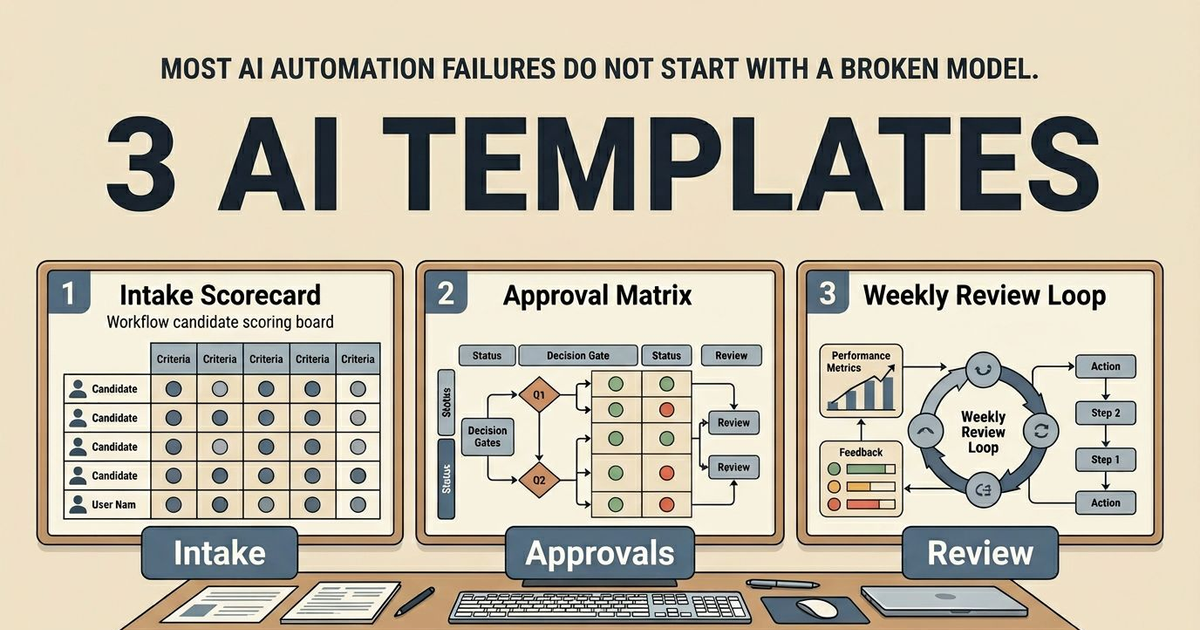
Most AI automation failures do not start with a broken model.
They start with missing structure.
People jump straight into prompts, glue code, and tool connections, then act surprised when the workflow has no owner, no approval rule, and no weekly review loop. The automation is not broken because the model is weak. It is broken because the operating system around it never existed.
That is why I keep three free AI automation templates in Obsidian.
The three templates I come back to every week
I do not use a huge template library for this.
I use three notes that work together:
- an intake scorecard for choosing the workflow
- an approval matrix for deciding what can run
- a weekly risk review for keeping the system honest
On their own, each template is fine. Together, they create a control loop.
The intake scorecard stops me from chasing the noisiest idea. The approval matrix stops me from giving a workflow more power than it deserves. The weekly review stops me from pretending that a workflow is healthy just because it had one clean demo.
If you want the fuller operating model, the best companion page is the vault workflows guide. It covers the same intake, review, and approval boundaries inside the current product.
Template one: choose the workflow before you build the workflow
My first template is just a forcing function for better prioritization.
I want one candidate workflow, one owner, and one reason it deserves implementation now. That means I score business value, implementation complexity, and risk instead of treating all automation ideas as equally exciting.
This is the core shape:
# AI Workflow Intake Scorecard

## Workflow Candidate
- Name:
- Owner:
- Trigger:
- Current manual process:

## Business Value (0-5)
- Revenue impact:
- Time saved:
- Error reduction:

## Implementation Complexity (0-5)
- Data access complexity:
- Integration complexity:
- Change-management complexity:

## Risk Exposure (0-5)
- Data sensitivity:
- Compliance/approval constraints:
- Failure blast radius:

## Decision
- Composite score:
- Recommended action: pursue now | queue | reject
- Why:
What I like about this note is that it makes avoidance harder. If I cannot name the owner or the trigger, I do not have a workflow yet. I have a mood board.
Template two: approvals are part of the architecture
The second template is the one people are most tempted to skip.
They assume they can define approvals later, after the automation proves itself. I think that is backwards. Approval architecture changes the workflow shape from the beginning.
This is the note I use:
# AI Approval Matrix

## Policy
- Default mode: approvals required for high-impact actions
- Escalation owner:
- Incident contact:

## Action Classes
- Read-only research
- Draft generation
- Internal notifications
- External communications
- Data mutation
- Financial operations

## Approval Rules
- Auto-allowed:
- Human-approval required:
- Dual-approval required:
- Blocked:

## Logging Requirements
- Event name:
- Actor:
- Timestamp:
- Input summary:
- Output summary:
- Rollback path:
The real value here is not the note itself. It is the conversation it forces. Once the matrix exists, it becomes obvious which automations are safe to move quickly on and which ones are pretending to be low risk.
Template three: the weekly review that keeps automation from drifting
The third template is the one that makes the other two matter over time.
Without a review loop, people keep their intake notes, set an approval policy once, and then never look again until something embarrassing happens. I would rather catch drift in a calm weekly review than during an incident.
This is the version I keep:
# Weekly AI Risk Review

## Week of
- Date range:
- Reviewer:

## Reliability
- Incidents this week:
- Top recurring failure mode:
- Mean time to recovery:

## Safety and Governance
- Approval bypasses detected:
- Access scope changes:
- New compliance concerns:

## Product and Revenue
- Workflows with highest ROI:
- Workflows with poor ROI:
- Biggest conversion blocker:

## Actions for next week
- [ ] Reliability hardening task
- [ ] Approval policy update
- [ ] Conversion-path improvement
I like this template because it refuses to let reliability and revenue live in separate worlds. A workflow can be technically impressive and still be a waste of time. It can also produce value while quietly accumulating approval debt. I want to see both.
How I run all three in one short operating loop
The loop is simple.
First, I score the top workflow candidates so I am not arguing from intuition. Second, I update the approval matrix before launch so the workflow cannot quietly inherit the wrong trust model. Third, I run the weekly review so I have one reliability task and one business task coming out of the system every week.
That gives me three things I care about:
- a workflow I can defend
- controls I can explain
- a review cadence that keeps the system from going stale
If the templates are not producing those outcomes, then I am just collecting notes.
Where people turn templates into theater
The most common failure mode is treating the notes as documentation after the fact instead of decision tools before the fact.
Another one is scoring everything as high value because nobody wants to reject an idea. That makes the scorecard useless.
The next is writing approval policies without naming a real escalation owner. If there is no person behind the rule, then the rule is decorative.
And the last one is running a weekly review that names problems without creating next actions. A review note with no downstream task is just a cleaner version of procrastination.
Definition of done for the first week
I would call the templates "working" only if they produce these outcomes inside seven days:
- one workflow is selected for implementation now
- one workflow is explicitly queued or rejected
- one escalation owner is named for high-impact actions
- one reliability task and one business task come out of the weekly review
If the notes do not create those decisions, I would simplify the loop until they do.
What I would do after using the free templates
If the templates help you isolate one workflow with real upside, one owner, and one sensible approval model, then the next move is implementation.
You can do that in one of two ways.
If you want to keep the work inside your own vault, start with SystemSculpt for Obsidian and the workflow docs.
I made these templates free because most teams need better workflow judgment before they need more automation.